AtlasAim ABI

Aimbot (Aim Bot)
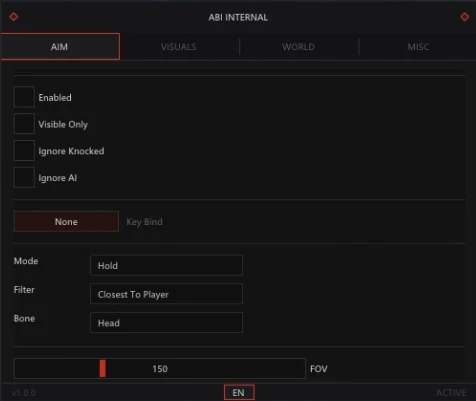
Enable - Enables the aimbot.
Aim Key - Assigns the aimbot activation key.
Ignore Knocked - Ignores knocked-out players when targeting.
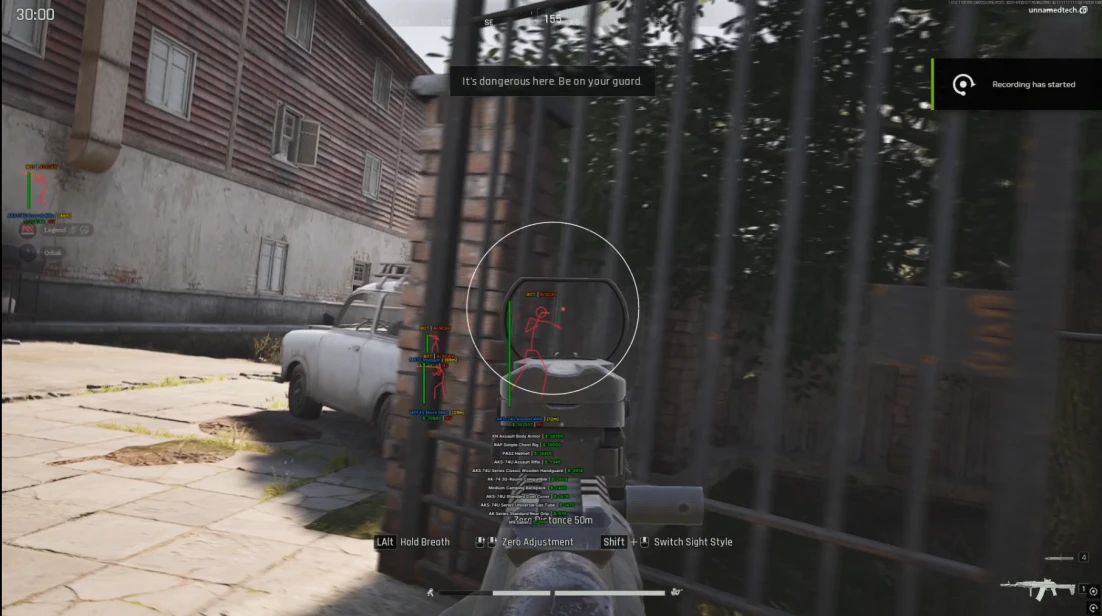
Draw FOV - Displays the aimbot's working area.
Draw Target Line - Draws a line from the crosshair to the target's hitbox within the aim circle.
FOV - Adjusts the aimbot's field of view (working radius).
Smooth - Smooths the aimbot's movement for more natural aiming.
Speed - Adjusts how quickly the aimbot locks onto a target.
Stickiness - Controls how strongly the aimbot stays locked onto a target.
Visible Check - Only targets enemies that are visible.
Filter - Chooses targets based on distance or proximity to the crosshair.
Max Distance - Sets the maximum targeting distance.
Wallhack (Players & Bots)
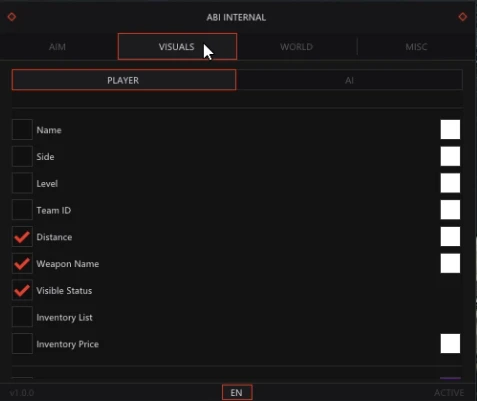
Players - Displays player ESP.
Bots - Displays bot ESP.
Boxes - Displays targets with box ESP.
Skeleton - Displays target skeletons.
Snaplines - Draws lines from your position to targets.
View Line - Shows the direction enemies are looking.
Head Circle - Highlights the head of each target.
Weapon - Displays the weapon each target is holding.
Level - Shows player profile levels.
Name - Displays player nicknames and bot names.
Health - Displays a health bar for each target.
Side - Shows the target's faction.
Team ID - Displays each player's team ID.
Distance - Shows the distance to each target in metres.
Max Distance - Sets the maximum ESP display distance.
Inventory Price - Displays the total value of a target's inventory.
Inventory Content - Shows the contents of a target's inventory.
Visible Check - Uses different colours for visible enemies and enemies behind walls.
Loot ESP (Corpses)
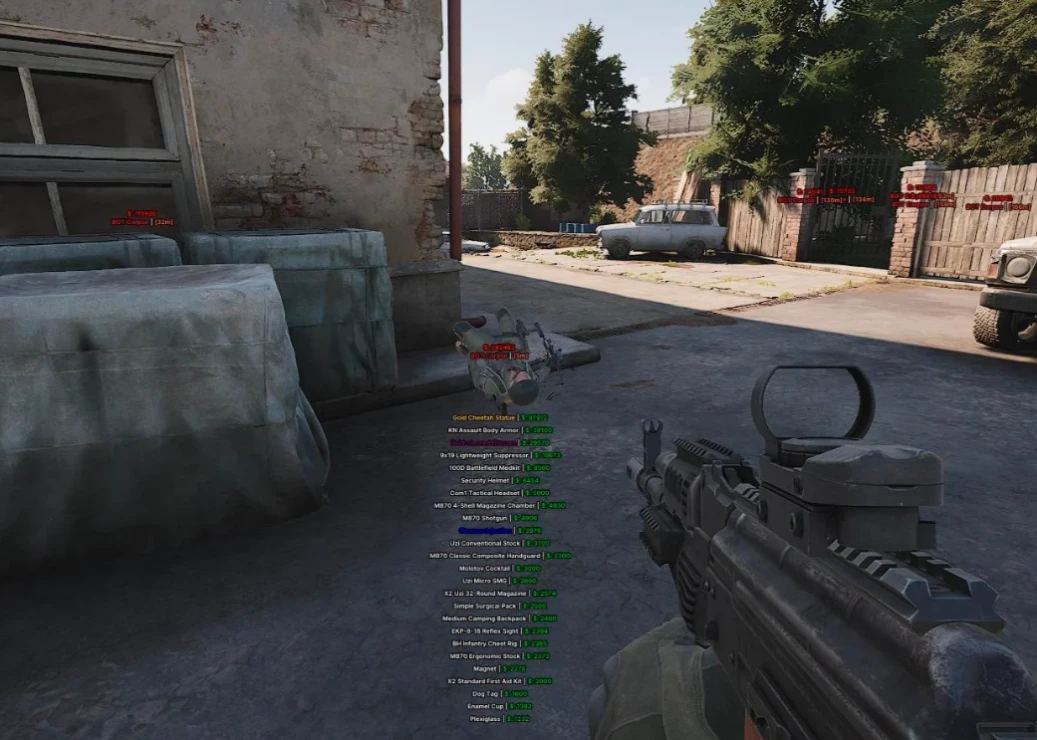
Corpse ESP - Displays player and bot corpses.
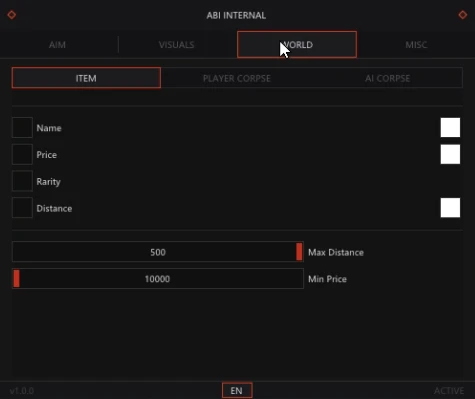
Name - Displays corpse names.
Distance - Shows the distance to each corpse in metres.
Inventory - Displays the loot inside each corpse.
Price - Shows the total value of the corpse's inventory.
Max Distance - Sets the maximum display distance for corpses.
Show Rarity - Displays the rarity of each item.
Minimum Price - Filters displayed items by minimum value.
Other Features
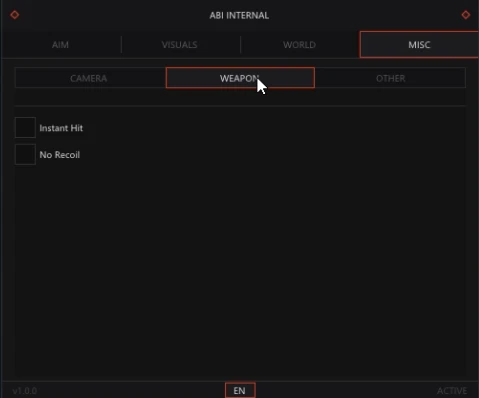
No Recoil - Removes weapon recoil while firing.
Instant Hit - Bullets hit the target instantly.
FOV Changer - Allows you to increase the game's field of view.
Crosshair - Displays a static crosshair in the centre of the screen.
Custom Colors - Lets you customise the colours of the software's visual elements.
Configs - Save and load your preferred settings.
Stream Proof - Hides the software from screenshots, recordings, and live streams.
Battle Mode - Hides extra ESP elements, displaying only Player Wallhack.